



The 2019 Org Chart Strikes Back: A Copilot Hallucination Story
An anonymised account of what happens when Copilot grounds in a stale tenant — and what the post-mortem revealed about the cleanup we should have done first.

Every Microsoft 365 tenant comes with the same starting line: 1 terabyte of SharePoint storage, plus 10 GB extra for each licensed user.
For a 50-person company, that’s a comfortable 1.5 TB.
For a 2,000-seat enterprise, it’s 21 TB. Sounds generous. Until it isn’t.
What most admins discover one quiet Tuesday is that the pool is gone. Teams recordings, OneDrive sync gone sideways, six rounds of version history on every PowerPoint, a 2018 acquisition’s sites that nobody owns anymore — the storage is full, and Microsoft is asking $200 per terabyte per month for more. That’s $2,400 per TB per year. Negotiable on EA, sure. Still meaningful at 20 TB over the line.
A typical mid-market tenant — 500 users — gets 5.9 TB included.
At a relatively modest 25 GB per user (Microsoft’s own benchmark for “well-used”), the actual SharePoint + Teams footprint sits at 12.2 TB. That’s 6.3 TB over the line, $15,000 a year you didn’t budget for, paying to hold a copy of a 4-year-old all-hands recording nobody has watched since 2021.
Storage growth in M365 is invisible to the people generating it.
End users record meetings, save attachments to SharePoint, drop video into Teams — every action adds to the bill, but the bill is paid by IT.
The feedback loop is broken. Without active intervention, every tenant trends toward “full” within 18–24 months of crossing the included pool, then keeps growing at roughly 30% year over year.
Storage is recurring.
Every extra TB you provision today is $2,400 you’ll pay every year, indefinitely. A 25% cleanup — well within TSO’s expected delivery range — pays for itself in the first quarter and keeps paying every quarter after.
It’s the rare optimisation where the ROI compounds.
Five categories cover roughly 80% of typical excess:
A scan that walks every site and surfaces the candidates is the first step. Acting on the recommendations is the second. Most organisations have the second covered — what they’re missing is visibility into what to act on.
An anonymised account of what happens when Copilot grounds in a stale tenant — and what the post-mortem revealed about the cleanup we should have done first.

Microsoft 365 Copilot grounds every answer in your tenant’s own content. When that content is stale, contradictory, or duplicated, Copilot doesn’t shrug — it answers with confidence. Here’s why that’s a problem and what to do about it.
Most Copilot governance programs focus on access controls, sensitivity labels, and prompt filters. They overlook the most consequential variable: the quality of the underlying content. Here’s why content hygiene is the foundation, and what to do this quarter.
opilot grounds its answers in your tenant’s content — and the content is full of contradictions, duplicates, and zombie data. Here are the five patterns we see in every scan that turn Copilot into a confident misinformer.
That extra TB Microsoft is about to sell you is probably already in your tenant. You just can’t see it.
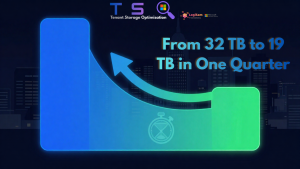
A 143-user enterprise tenant cut $18,000 off its annual Microsoft bill in 90 days — without touching live content. Here’s the playbook.