
LearningHub 365 – Corporate Training & LMS Power Apps Template
LearningHub 365 is a full LMS Power Apps template for corporate training inside Microsoft 365. Deliver onboarding, compliance, assessments, and badges via…


A modern, flexible Power Apps template designed to build your internal Learning Management System. Deliver onboarding, compliance training, and continuous development through videos, articles, assessments, and badges—all integrated seamlessly with SharePoint, Dataverse, or SQL.
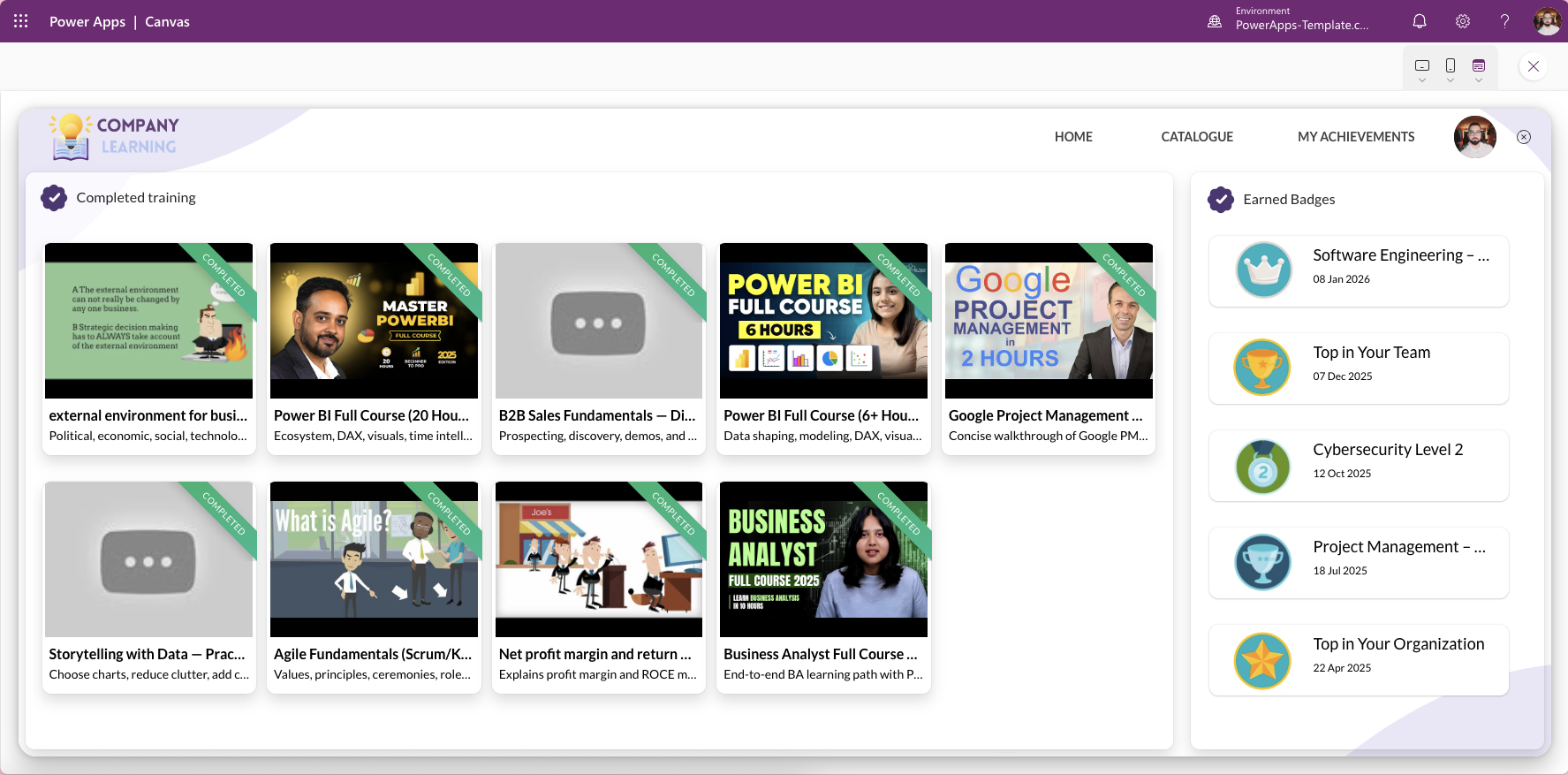
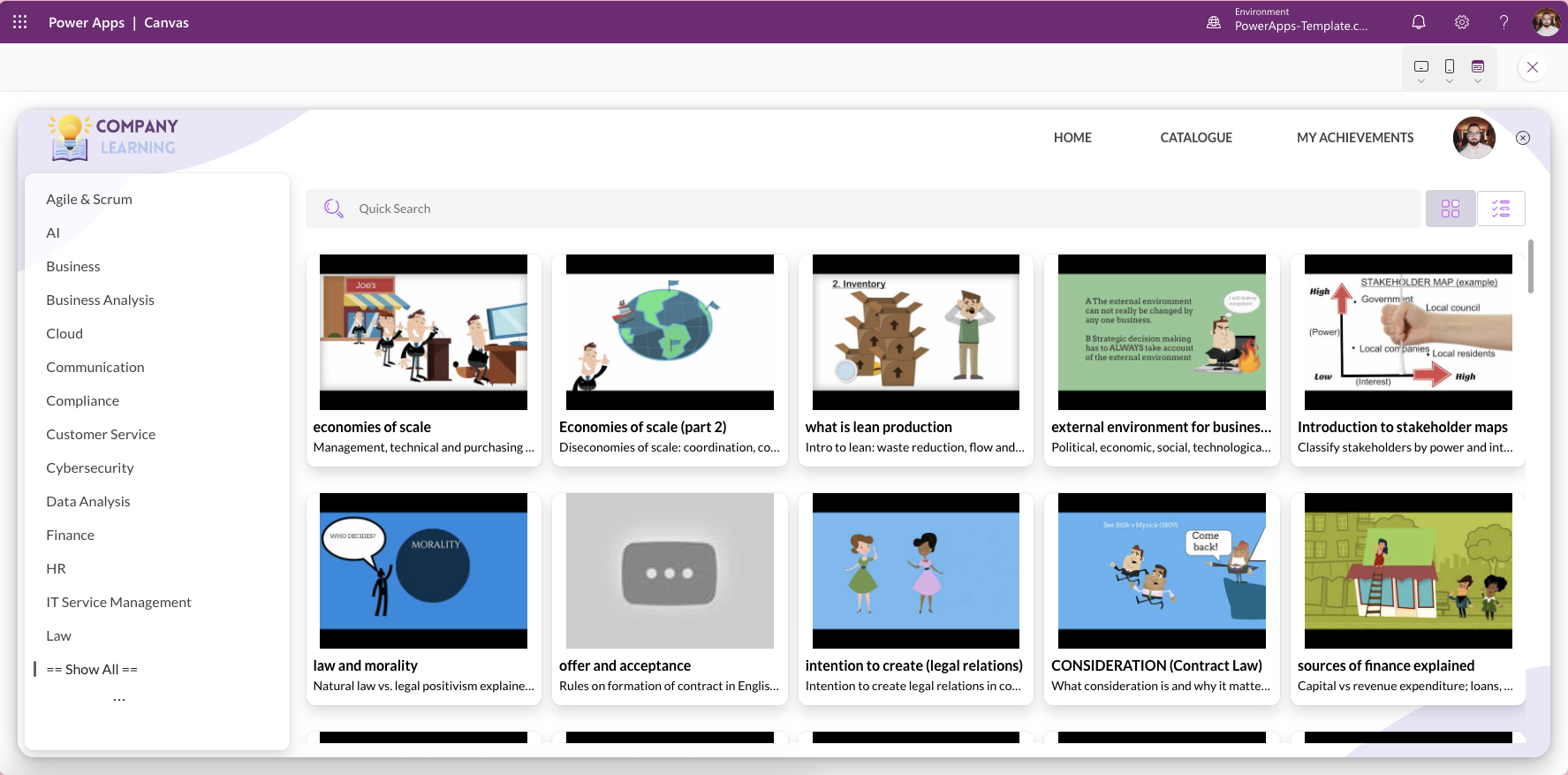
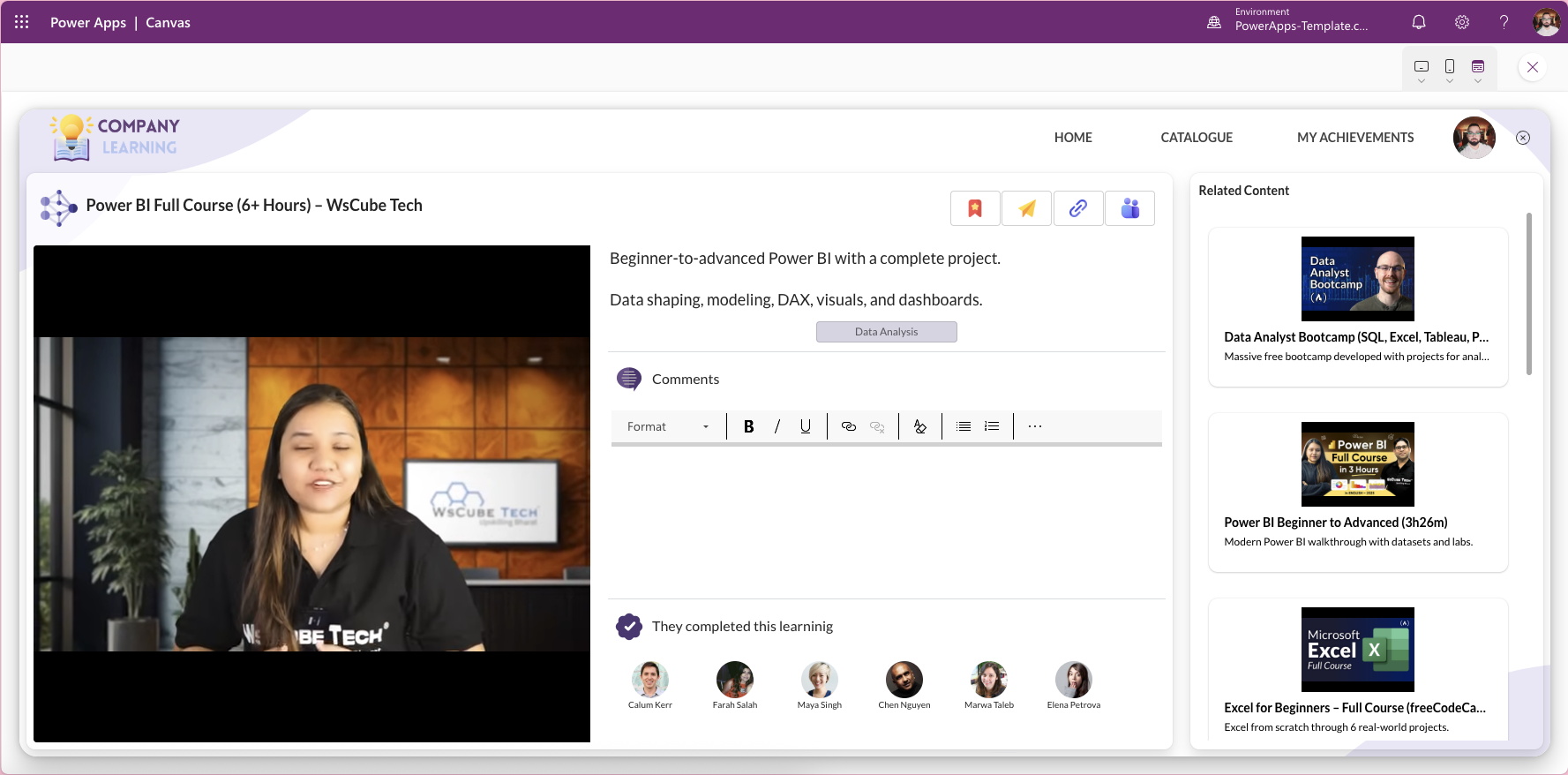
LearningHub 365 is a beautifully designed Power Apps Canvas App template that enables organisations to build a complete internal learning management system without starting from scratch. Whether you are delivering structured onboarding programmes, annual compliance training, role-based development paths, or continuous learning for all employees, LearningHub 365 gives your HR, L&D, and IT teams a governed, professional training portal that lives entirely inside your Microsoft 365 environment.
Unlike lightweight micro-learning apps, LearningHub 365 is built for organisations that need a full learning portal experience — multiple content formats, structured course catalogues, assessments, milestones, and badges — all in one place.
Built natively on Microsoft Power Apps Canvas Apps, LearningHub 365 integrates with SharePoint, Dataverse, or SQL, fitting effortlessly into any existing Microsoft 365 setup. All training content, completion records, and assessment data remain securely within your tenant, keeping your organisation aligned with governance, compliance, and data sovereignty requirements.
Mobile-ready, scalable, and fully customisable, LearningHub 365 proves that Power Platform can deliver professional, enterprise-grade learning experiences without the cost or complexity of a traditional LMS vendor.
Key Features
Structured Course Catalogue Organise all training content into a clean, browsable course catalogue with categories, departments, and roles. Employees can find relevant courses quickly without searching through shared drives or email attachments.
Multiple Content Formats — Videos, Articles, and Assessments Support a full range of learning formats including video lessons, written articles, and interactive assessments. L&D teams can mix and match content types within a single learning path to suit different topics and learner preferences.
Quizzes and Assessments with Scoring Attach assessments to individual courses or full learning paths. Quiz results are scored and recorded automatically, giving managers and L&D teams an accurate view of comprehension and completion without manual tracking.
Milestones and Learning Paths Group courses into structured learning paths with milestones that guide employees through a defined development journey. Milestones provide visible checkpoints that keep learners motivated and on track throughout longer programmes.
Digital Badges and Completion Certificates Recognise achievement with digital badges awarded automatically upon course or learning path completion. Badges create an auditable record of training and provide employees with visible recognition of their progress and skills.
SharePoint, Dataverse, and SQL Integration LearningHub 365 supports three data source options — SharePoint lists, Microsoft Dataverse, and SQL — giving your organisation complete flexibility to connect the template to your preferred data infrastructure. All data stays within your Microsoft 365 tenant.
Admin Content Management L&D administrators can publish, update, and manage course content directly within the app. No developer involvement is required to add new courses, update materials, or adjust learning paths as training needs evolve.
Mobile-Ready and Responsive LearningHub 365 works across desktop browsers and the Microsoft Power Apps mobile app on iOS and Android. Employees can continue their learning on any device without losing progress or functionality.
Fully Customisable Low-Code Architecture Built following Microsoft Power Platform best practices, the template is structured for easy extension. Add new screens, workflows, approval processes, or reporting dashboards without redesigning from the ground up.
How to Get Started
LearningHub 365 can be live in your Microsoft 365 environment within a few days, following a straightforward implementation process.
- Purchase and download the template from PowerApps-Template.com
- Import the solution package into your Power Apps environment
- Connect to your preferred data source — SharePoint, Dataverse, or SQL
- Upload your existing training content — videos, articles, quiz questions, and badge images
- Organise content into courses and learning paths, and set up your course catalogue categories
- Configure admin permissions for your L&D team members
- Publish the app and share it with employees via Microsoft Teams or the Power Apps mobile app
Who Is This Template For?
LearningHub 365 is designed for organisations that need more than a basic training app — teams that require a scalable, full-featured internal learning portal built on Microsoft 365 infrastructure.
HR and People Teams Manage the entire employee learning lifecycle from onboarding to ongoing development. Deliver structured programmes for new joiners, track completion automatically, and maintain a full audit trail of training records without spreadsheets or manual follow-up.
Learning and Development Teams Publish and manage a rich catalogue of training content across multiple formats and departments. Build bespoke learning paths for different roles, business units, or development objectives — and update content without relying on IT or developers.
IT and Operations Managers Deploy a governed, compliant training solution that sits entirely within your existing Microsoft 365 environment. No new vendor agreements, no external data processing, and no additional licensing beyond your existing Power Apps subscription.
Compliance and Legal Teams Assign mandatory compliance courses to specific employee groups, set completion deadlines, and track results with full audit capability. LearningHub 365 provides the structure and reporting needed to demonstrate regulatory compliance and training completion to auditors.
Large and Growing Organisations As your team grows, LearningHub 365 scales with it. Add new departments, roles, content categories, and learning paths without rebuilding the app. Its architecture supports both small teams and enterprise-scale deployments within the same Microsoft 365 tenant.
LearningHub 365 vs MyLearning Mobile
Both templates serve corporate training needs inside Microsoft 365, but they serve different organisational requirements and use cases.
LearningHub 365 is a full learning portal designed for organisations that need a comprehensive internal LMS — a structured course catalogue, multiple content formats, milestone-based learning paths, assessments, and admin content management. It is the right choice for companies with a dedicated L&D function, a broad range of training content, and a need for detailed completion tracking across departments.
MyLearning Mobile is a lightweight, mobile-first micro-learning app designed for fast, bite-sized training on the go. It is best suited for frontline or field-based teams who need quick, focused modules they can complete from their phone without navigating a full portal.
If you are unsure which template fits your organisation, the LogiSam team is happy to advise. Book a free consultation to discuss your training requirements.
Other Templates
Why Choose Us

Flexible & Customisable
Adapt easily to your unique business needs.

Expert Quality
Templates are crafted by professionals following Microsoft best practices.

Low Cost
Avoid the high expense of hiring designers or developers.

Accelerate Delivery
Go live in days, not months.


