Why Microsoft 365 Teams Choose HR365 for Employee Onboarding
With HR365, onboarding is no longer a manual or fragmented process. Instead, it becomes a guided workflow driven by clearly defined tasks, owners, and responsibilities.
HR teams can create onboarding task templates that are automatically applied when a new employee is created or onboarded.
Configurable Onboarding Task Templates — No IT Support Required
All onboarding tasks in HR365 are configured centrally from the Settings section, giving HR full control without technical complexity.
You can define:
- Onboarding task name and description
- Task owner (HR, IT, manager, finance, or other teams)
- Task type:
- To‑Do (actions that must be completed)
- Information Collection (data, documents, or confirmations)
This makes onboarding flexible enough to support different roles, departments, and locations—while still remaining standardised.
How HR365 employee onboarding works, step by step
HR365 makes it straightforward to move from a new hire acceptance to a fully managed onboarding experience — without manual coordination or IT involvement.
Step 1: HR defines onboarding task templates in Settings
HR administrators build a library of onboarding tasks directly from the HR365 Settings section. Each task is assigned a name, description, task type (To-Do or Information Collection), and a responsible owner — whether that is HR, IT, the hiring manager, finance, or any other team. Templates can be tailored by role, department, or location.
Step 2: A new employee is created or onboarded in the system
When a new hire is added to HR365, the system identifies which onboarding task template applies based on their role and department. There is no manual selection required — the right set of tasks is applied automatically.
Step 3: Tasks are assigned to owners and actioned across teams
Each task owner receives their assigned tasks directly — inside Microsoft Teams or via Outlook notifications — with clear instructions on what is required and when. HR, IT, and line managers all work from the same source of truth, without needing to log in to a separate platform.
Step 4: Progress is tracked in real time
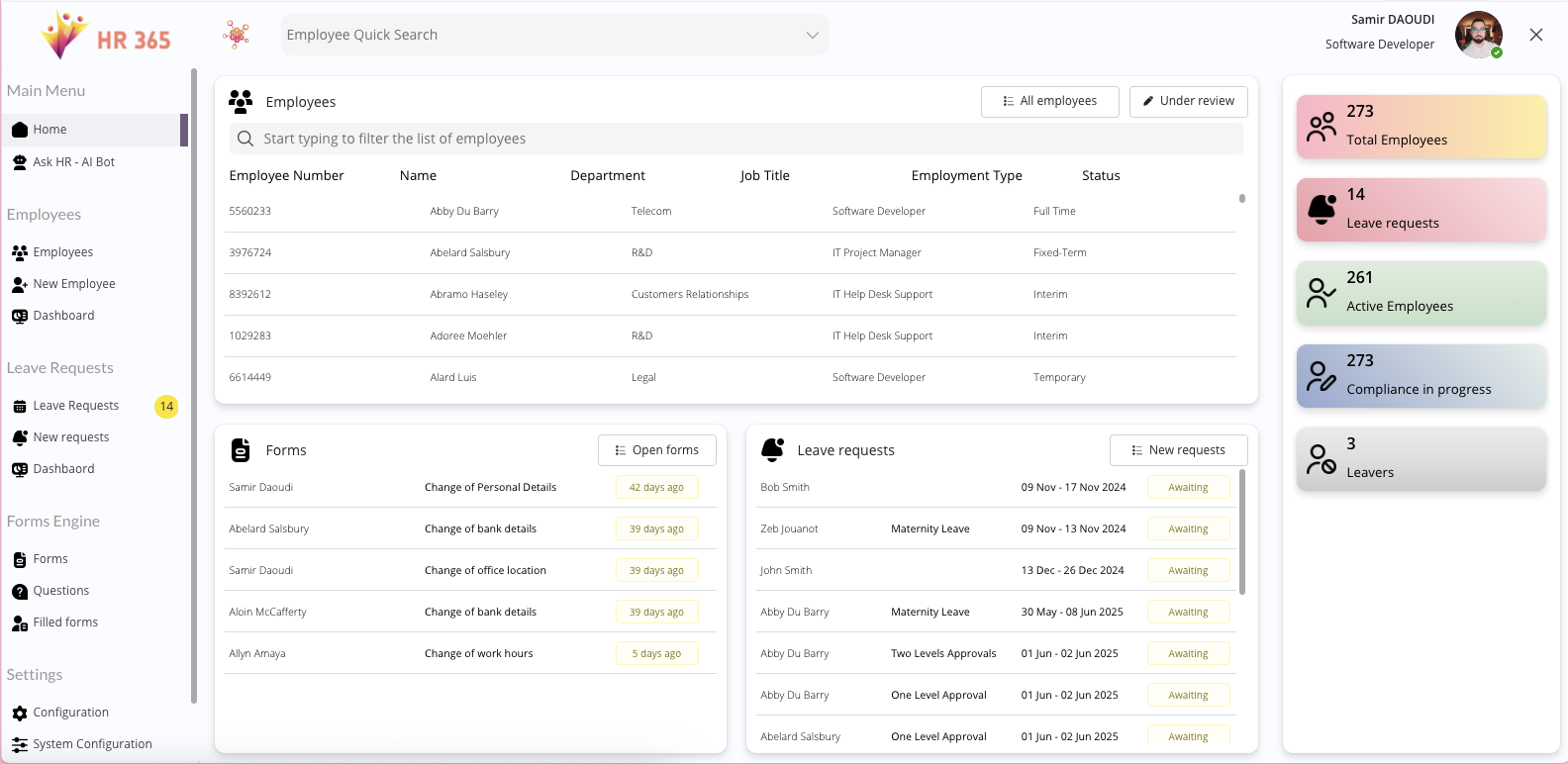
HR administrators have a live view of onboarding progress across all active new hires. Completed tasks update automatically. Pending or overdue tasks are visible at a glance, without any manual chasing or status-update emails.
The result is a consistent, auditable onboarding experience for every new hire — regardless of role, location, or which manager they report to.
HR365 vs spreadsheets and standalone onboarding tools
Most HR teams managing onboarding today are working with one of two inadequate setups: a shared spreadsheet that nobody keeps updated, or a standalone onboarding platform that sits outside the tools their teams already use.
Spreadsheets offer no automation, no task ownership, and no real-time visibility. A task that was marked complete three weeks ago may have been completed by the wrong person, at the wrong stage, or not at all.
Standalone onboarding platforms introduce their own problems. They require separate logins for HR, managers, and IT. Employee data has to be migrated or duplicated across systems. And because the platform sits outside Microsoft 365, adoption is low — people default to email because that is where they already work.
HR365 is different. It runs entirely inside your existing Microsoft 365 environment — the same Teams, SharePoint, and Outlook your teams use every day. There is no data migration, no separate login, and no new platform to train staff on. Your employee data stays within your own Microsoft tenant at all times.
For organisations already operating on Microsoft 365, this is the most practical path to structured, automated onboarding — without the cost or disruption of deploying a standalone system.
Role-Based Task Ownership: No Missed Steps, Full Visibility
Each onboarding task in HR365 has a clearly defined owner, ensuring:
- No confusion over responsibilities
- No missed steps during onboarding
- Full transparency on task status and progress
HR teams can easily track which tasks are pending, completed, or overdue—without chasing people manually.
Automated New Hire Onboarding Workflow, Start to Finish
Once configured, onboarding tasks are seamlessly used during the employee onboarding process:
- Tasks are automatically assigned at the right stage
- Employees and task owners know exactly what’s required
- Progress is visible in real time
This removes friction from onboarding while ensuring compliance and consistency.
Native Integration with Microsoft Teams, Outlook, and Copilot
HR365 brings onboarding directly into the tools people already use:
- Microsoft Teams for task visibility and collaboration
- Outlook for notifications and reminders
- Copilot‑ready, enabling AI‑powered insights, task discovery, and onboarding optimisation
This makes onboarding not just structured—but intelligent and future‑ready.
Scalable Onboarding Software That Grows with Your Organisation
No complex workflows.
No IT dependency.
No external onboarding tools.
Just a clean, configurable onboarding experience, fully embedded into Microsoft 365 and designed for HR teams.
Who HR365 onboarding is built for
HR365 is designed for organisations that are already running on Microsoft 365 and want to bring the same level of structure to their onboarding process that they have across the rest of their operations.
It is particularly well suited to HR managers and People leads at small and mid-market companies who are onboarding between 10 and 200 new hires per year, where manual processes are starting to break down under volume. It is equally relevant to IT-conscious HR leaders who need onboarding to be auditable, role-controlled, and compliant — without creating additional IT workload to manage it.
Organisations with distributed teams, multiple departments, or high-growth hiring plans benefit most from HR365’s role-based task templates, which ensure consistency without requiring HR to manually configure every onboarding from scratch.
If your team is spending more time managing the onboarding process than supporting the people going through it, HR365 is built to change that.