Why Security Must Come First in Your Copilot Journey
Microsoft Copilot is transforming how organisations build, automate, and scale solutions—especially across
Power Platform and enterprise environments. But here’s the reality:
deploying Copilot without properly securing your tenant is like opening your front door in a busy city and hoping nothing goes missing.As a Solution Architect or Power Platform leader, you already know governance matters—but with AI, the stakes are significantly higher.
👉 Sensitive data exposure, uncontrolled connectors, and over-permissioned environments can quickly turn Copilot into a risk instead of a productivity powerhouse.
That’s where Copilot SafeScan comes in—and why starting with a pre-built, proven approach can save weeks of effort and eliminate costly mistakes.
The Hidden Risk of Copilot Adoption
Recent enterprise readiness assessments show:
- 🔍 68% of tenants contain over-permissioned users or groups
- 🔌 Over 40% of environments use connectors that expose sensitive data externally
- 🔐 Only 25% of organisations have a fully defined DLP strategy before Copilot rollout
- ⏱ Teams spend 3–6 weeks auditing tenants manually before even starting deployment
Without proper scanning and governance:
- Copilot may access confidential documents unintentionally
- AI-generated responses may expose sensitive business insights
- Governance teams lose control over data boundaries
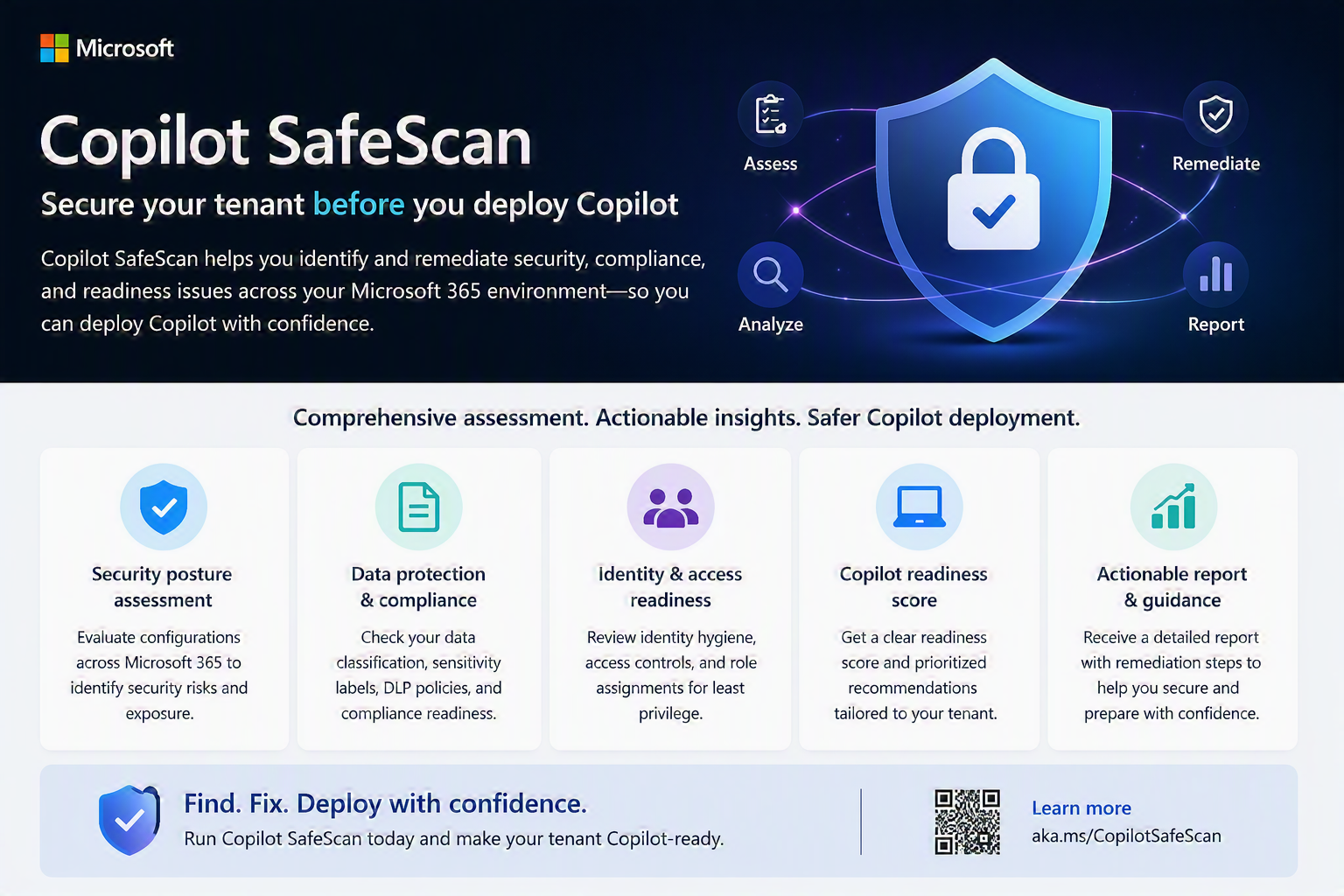
What Is Copilot SafeScan?
Copilot SafeScan is a structured, automated approach that helps you:
✅ Analyse your tenant for risks
✅ Identify overexposed data sources
✅ Review permissions and access policies
✅ Validate DLP policies and connectors
✅ Prepare your environment for safe Copilot adoption
Think of it as your pre-flight check before AI take-off.
Why You Shouldn’t Start From Scratch
Let’s be honest—building your own tenant audit and governance framework:
- Takes weeks of scripting and analysis
- Requires deep knowledge of Power Platform, Entra ID, and compliance
- Often misses critical edge cases
Instead, using a pre-built Power Apps template for SafeScan-like assessments gives you:
🚀 Faster time to value (up to 70% reduction in setup time)
📊 Predefined dashboards and reports
🔍 Built-in risk detection logic
🛡 Best-practice governance checks
⚙️ Reusable and scalable framework
Time matters—and templates help you move faster without compromising security.
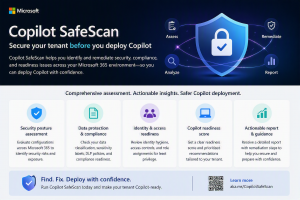
Key Areas Copilot SafeScan Covers
1. 🔐 Identity & Access Review
- Detect over-privileged users
- Validate group-based access controls
- Surface external user exposure
2. 🔌 Connector & Data Risk Analysis
- Identify high-risk connectors (e.g., HTTP, SQL, custom APIs)
- Map data flow across environments
- Highlight potential data leakage paths
3. 🧩 Environment Strategy
- Evaluate Dev/Test/Prod separation
- Check naming conventions and ownership
- Clean up unused or orphaned environments
4. 📜 DLP Policy Validation
- Ensure compliant connector grouping
- Align policies with business units
- Prevent unintended data sharing
5. 🤖 Copilot Readiness Score
- Measure how prepared your tenant is
- Prioritise remediation actions
- Track improvements over time
Real Business Impact
Organisations that implement structured SafeScan approaches see:
- ⏱ 50% faster Copilot rollout
- 🔐 60% reduction in security risks pre-deployment
- 📈 Improved governance adoption across teams
- 💡 Higher trust in AI-driven outputs
How to Get Started (The Smart Way)
Instead of reinventing the wheel:
- ✅ Start with a Power Apps SafeScan Template
- ✅ Connect your tenant data sources
- ✅ Run automated assessments
- ✅ Review dashboards for risk insights
- ✅ Fix issues before enabling Copilot
In just a few hours, you can achieve what typically takes weeks.
Final Thoughts
Copilot isn’t just a feature—it’s a force multiplier for your organisation.
But with great power comes great responsibility.
👉 Secure first. Deploy second. Scale confidently.
And if you want to move fast without sacrificing governance—start with a template, not a blank canvas.
——–
- Copilot security
- Microsoft Copilot governance
- Power Platform governance
- Tenant security assessment
- Copilot SafeScan
- Power Apps templates
- DLP policies
- AI security readiness
- Microsoft 365 tenant audit
- Enterprise AI deployment